Share
Share

 ChatGPT
 Perplexity
 Claude
 Grok
Grok
 Google AI Mode
Production demands have outpaced the manual workflows that most manufacturing operations still depend on. Systems don’t always connect cleanly in such workflows. Records sit across spreadsheets and, in some cases, still on paper, while handoffs depend on people stepping in at the right time. These delays may seem small at first, but they begin to accumulate as work moves across stages.
As output expectations increase and skilled labor remains limited, these inefficiencies become harder to manage at scale. They show up as missed timelines, rework, and slower decisions across operations. Manufacturing workflow automation gives teams a structured way to address these gaps, starting with processes that are repetitive in nature and more likely to introduce errors when handled manually.
“Manufacturers can improve labor productivity by 15–30% through digital adoption and workflow automation.”
– McKinsey & Company
The improvement comes from focusing on where manual steps slow things down and applying automation with a clear approach. When this is done well, systems begin to work together more reliably. This blog post covers what manufacturing workflow automation involves, the technologies behind it, and how to approach it in a way that holds up over time.
What is manufacturing workflow automation?
Manufacturing workflow automation uses software, data, and connected systems to manage how tasks are carried out across production, quality, maintenance, and supply chain operations. Each step is defined in advance, tracked as it progresses, and aligned with what comes next.
Manual workflows rely on people to pass information, update systems, and coordinate actions. Each step is recorded after completion, which delays visibility and slows down how quickly issues can be identified.
These gaps start affecting output and consistency as operations grow.
Manufacturing process automation improves how these workflows operate. It digitizes processes and connects them to live data. Steps are triggered based on defined conditions, and updates move across systems as each stage progresses.
Over time, teams redesign workflows from manual to digital to automated. Execution, monitoring, and decision-making become part of the same connected flow.
Why is manufacturing workflow automation important for modern factories?
Modern manufacturing environments run on demanding timelines, higher output expectations, and stricter compliance requirements. Workflows that rely on manual coordination struggle to keep up when operations expand across lines, plants, or regions.
The impact becomes visible in how teams respond to changes. Production plans take longer to adjust, quality issues take more effort to trace, and decisions depend on pulling data from multiple systems before action can be taken.
Automation in manufacturing workflows changes how operations are managed at scale. Processes run with clearer structure, updates are available as work progresses, and systems stay aligned without constant intervention. That shift improves speed, supports consistency, and makes it easier to maintain compliance across environments.
As factories adopt connected systems and data-driven operations, manufacturing operations management becomes more structured, with clearer control across workflows. As a result, teams spend less time tracking what happened and more time acting on what needs attention.
What are the 7 key manufacturing processes that can be automated?
Automation delivers the most value where work follows a clear sequence and depends on timing, accuracy, and coordination across systems. These are the areas where manual steps tend to slow things down or introduce variation.
Material handling and logistics
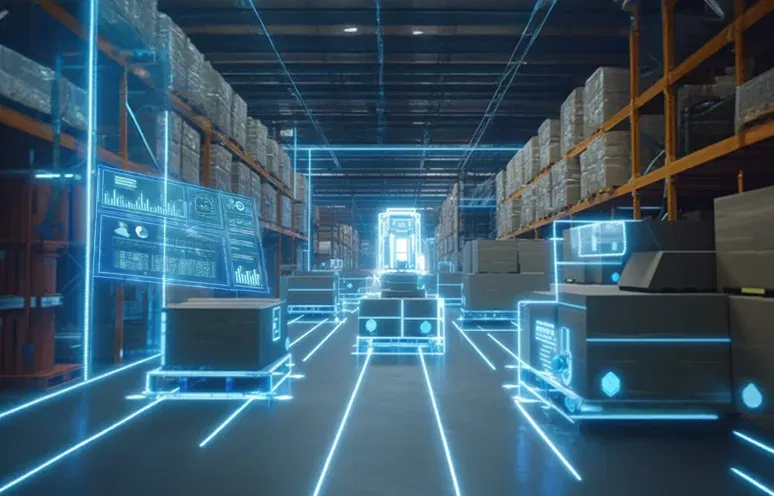
Material handling can be automated using automated guided vehicles and mobile robots that move raw materials and finished goods based on production schedules and system triggers. These systems coordinate movement across stages without manual intervention.
- Reduces delays between connected production stages
- Minimizes dependency on manual material transport
- Improves flow across lines, storage, and dispatch areas
Assembly line operations
Assembly operations can be automated using robotic arms and cobots that perform tasks such as welding, fastening, and component placement with predefined precision. These systems follow programmed sequences and maintain consistent execution across cycles.
- Ensures consistent execution across shifts and operators
- Increases throughput without affecting product accuracy
- Reduces rework caused by manual process variations
Quality control and inspection
Quality inspection can be automated using machine vision systems that scan products during production and detect defects based on predefined parameters. These systems evaluate output in real time without interrupting production flow.
- Enables faster defect detection during production cycles
- Improves consistency in inspection across product batches
- Reduces rework and scrap generated during operations
Inventory management and tracking
Inventory management can be automated using RFID tags and IoT-based tracking systems that update stock levels as materials move across production and storage. These systems align inventory data with production activity in real time.
- Provides real-time visibility into stock levels and movement
- Reduces stockouts and excess inventory situations
- Supports automatic replenishment based on usage patterns
Predictive maintenance
Maintenance can be automated using sensors and analytics systems that monitor equipment performance and identify patterns indicating potential failure. These systems trigger maintenance actions based on condition rather than fixed schedules.
- Reduces unplanned downtime across production equipment
- Improves utilization of maintenance resources and schedules
- Extends equipment life through timely interventions
Packaging and palletizing
Packaging processes can be automated using robotic systems that handle sorting, boxing, and palletizing of finished goods. These systems align end-of-line operations with production output and maintain consistent handling.
- Increases speed of handling finished goods at scale
- Reduces manual effort in repetitive packaging tasks
- Maintains consistency in packaging and pallet structure
Administrative and order workflows
Administrative workflows can be automated using robotic process automation that manages order processing, invoice generation, and system updates across platforms. These systems connect planning and execution without manual coordination.
- Accelerates order processing and system-based updates
- Reduces data entry errors across workflow steps
- Improves coordination between planning and production
What are the 5 types of automation in manufacturing?

Manufacturing environments use different types of automation based on how stable a process is and how often it needs to change. Some setups run the same way every day, while others adjust with shifting demand or product variation. These differences shape how automation is designed and applied across operations.
Fixed automation
Fixed automation is a type of automation where equipment is designed to perform a predefined sequence of tasks with minimal variation. It is applied in high-volume production environments such as assembly lines, welding stations, and continuous manufacturing setups.
- Delivers consistent output across long production cycles
- Reduces unit cost as volume and efficiency increase
- Offers limited flexibility once systems are configured
Programmable automation
Programmable automation uses systems that can be reconfigured to handle different production runs by updating instructions and settings. It is applied in batch production environments such as CNC machining, printing, and controlled assembly operations.
- Supports multiple product variants across batch runs
- Maintains control over setup and configuration changes
- Requires time for reprogramming between batches
Flexible automation
Flexible automation allows systems to adjust between product types with minimal manual intervention and without stopping production. It is applied in environments such as multi-product assembly lines, packaging systems, and mixed-model manufacturing setups.
- Enables faster changeovers between different products
- Reduces downtime during production transitions
- Adapts quickly to shifting demand and order changes
Integrated automation
Integrated automation connects machines and systems so they can exchange information and stay aligned during execution. It is applied in environments where ERP, MES, and shop floor systems need to work together across production and planning stages.
- Improves visibility across connected production systems
- Aligns workflows across different operational stages
- Reduces dependency on manual coordination efforts
Intelligent automation
Intelligent automation uses data, models, and system inputs to guide decisions within workflows as conditions change. It is applied in areas such as predictive maintenance, defect detection, and demand planning where responses depend on real-time signals.
- Supports predictive and condition-based decision making
- Improves accuracy across complex operational scenarios
- Enables continuous improvement through data feedback
What are the key strategies for manufacturing workflow automation?

Manufacturing workflow automation works best when it is approached in stages. Trying to automate everything at once usually creates more complexity than value. A more practical approach starts with understanding where delays occur, how work is currently executed, and which processes are stable enough to automate without disruption.
Start with high-impact, repeatable processes
Not every workflow needs attention first. Some are easier to work with because they already follow a defined pattern. Production scheduling, inspection checks, or material movement are good examples where steps are already known and repeated.
A simple way to begin is to map how the workflow runs today. Then look at where it slows down, where people step in, and where timing matters. Once that is clear, define what should trigger the next step and how the system should respond.
Stabilize workflows before automating
Automation depends on consistency. When the same task is handled differently across shifts or teams, systems struggle to execute it reliably.
Start by aligning how the work is done. Remove variations that are not required. Document the sequence in a way that someone else can follow without additional explanation. Once the workflow runs the same way each time, automation becomes easier to introduce.
Connect systems across workflows
Workflows rarely stay within one system. Planning, execution, and reporting usually sit in different places, and that is where delays begin to appear.
Instead of connecting everything at once, pick one workflow and trace how information moves through it. Identify where updates stop or need manual input. Then connect those points so the flow continues without interruption. Once that works, extend it gradually.
Build around a data-first approach
Automation follows the quality of data available to it. When data arrives late, differs in format, or remains incomplete, workflows begin to behave unpredictably.
The starting point here is to bring consistency. Define how data should be captured, when it should update, and where it should be available. As workflows are automated, this structure helps keep execution and decisions aligned.
What are the 5 benefits of automating manufacturing workflows?

Automation changes how work is executed across the production environment. The impact is not limited to speed or cost. It shows up in how reliably operations run, how quickly teams respond, and how clearly performance can be tracked. Over time, these changes begin to influence throughput, decision-making, and overall operational control.
Higher throughput without adding capacity
Production does not usually slow down in one place. It slows between steps. One stage finishes, the next waits, and that gap repeats across the line. Automation reduces that waiting. Work moves forward with fewer pauses, and output starts to increase without adding more capacity.
Better traceability across operations
Tracking work across systems sounds straightforward until something goes wrong. Records exist, but they don’t always align. One system shows progress, another shows delay. Automation brings that into a single flow, where each step is recorded as it happens and easier to follow later.
- Clear tracking of materials across production stages
- Faster identification of issues and root causes
- Stronger audit readiness with consistent data records
Faster and more informed decision-making
Decisions rarely wait for complete information. Teams work with what they have, even if it arrives late. That delay affects response time more than the decision itself. With automation, updates stay closer to the actual process, which makes decisions easier to act on.
- Access to current data without waiting for manual updates
- Faster response to production changes and disruptions
- Reduced reliance on delayed or incomplete reports
More predictable cost control
Costs do not always appear as large, visible issues. They build gradually. A delay here, some rework there, extra effort to fix small gaps. Over time, it adds up. Automation makes these patterns easier to see, and once visible, easier to control.
- Reduced rework caused by manual process variations
- Better alignment between planning and execution cycles
- Clear visibility into operational cost drivers over time
Safer and more controlled operations
Risk on the shop floor is not always immediate. It builds through repetition, fatigue, and small inconsistencies in how tasks are handled. Automation reduces direct exposure in such areas, which helps bring more control into how work is carried out.
- Reduced manual handling in repetitive or risk-prone tasks
- Better alignment between planning and execution cycles
- Clear visibility into operational cost drivers over time
What are the 4 key challenges in manufacturing workflow automation?

Automation delivers the most value when it fits well with existing processes, systems, and teams. The challenge is not introducing automation, but making sure it works reliably in day-to-day operations. That’s where a few practical constraints begin to show.
1. System integration across workflows
Manufacturing workflows usually span ERP systems, MES platforms, and shop floor applications that have evolved separately. Each system follows its own data structure and update cycle. When workflows depend on all of them, gaps appear where information does not move in time.
Solution: Integration should begin by identifying where data breaks between systems. Use APIs or middleware to connect these systems in a controlled manner rather than attempting full integration at once. Standardize data formats so information can move consistently across stages. Start with one workflow, validate the flow, and extend integration step by step.
2. Resistance to change on the shop floor
Workflows on the shop floor are shaped by routines built over time. When automation changes how tasks are performed, the shift affects both execution and decision-making. Adoption slows when new workflows feel unfamiliar or disrupt established ways of working.
Solution: Introduce changes gradually by involving teams early in the process. Align new workflows with how work is already understood, rather than replacing everything at once. Provide role-specific training and allow teams to work alongside the new system before fully transitioning. Adoption improves when workflows feel reliable in practice.
3. Cost and return visibility
Automation requires upfront investment, while outcomes build gradually as workflows stabilize. This creates a gap between when decisions are made and when value becomes visible. Without clear checkpoints, it becomes difficult to track progress.
Solution: Begin with workflows where impact can be measured early, such as reducing delays or improving throughput. Define baseline metrics before implementation and track improvements over time. Break the rollout into phases so each stage delivers visible results. This makes it easier to connect investment with outcomes.
4. Data readiness and consistency
Data is present across most manufacturing systems, but it does not always align in structure or timing. Differences in formats and update cycles create inconsistencies when workflows are connected. This affects how reliably automation can execute.
Solution: Start by defining how data should be structured and when it should update across systems. Align naming conventions and ensure that required data is available at each stage of the workflow. Focus on consistency before scale. As data becomes more reliable, workflows begin to execute with fewer interruptions.
What are the common technologies used in manufacturing process automation?

Manufacturing process automation brings together multiple technologies that support how workflows are executed and monitored. Each plays a different role, from capturing data to acting on it within the process.
Artificial Intelligence (AI) and Machine Learning (ML)
AI models help analyze patterns in production data and support decisions within workflows. They are used in areas such as quality inspection, demand forecasting, and predictive maintenance.
- Identifies patterns across large volumes of operational data
- Supports condition-based decisions within workflows
- Improves accuracy in areas like inspection and maintenance
Internet of Things (IoT)
IoT devices capture data from machines, sensors, and equipment during operations. This data becomes the foundation for monitoring and automation.
- Provides continuous data from machines and equipment
- Improves visibility into real-time operational conditions
- Supports automated responses based on sensor inputs
Robotic Process Automation (RPA)
RPA handles repetitive tasks that involve data entry, system updates, or document handling. It is commonly used outside the shop floor but connects closely with production workflows.
- Automates routine system-based tasks and data updates
- Reduces manual effort in administrative workflows
- Improves consistency across process execution
Data platforms and integration layers
Data platforms collect and organize information from different systems. Integration layers ensure that this data moves across workflows without manual intervention.
- Centralizes data from multiple operational systems
- Enables consistent data sharing across workflows
- Supports better visibility and coordination
Manufacturing Execution Systems (MES)
MES connects planning and production by tracking work as it progresses on the shop floor. It helps align execution with production schedules.
- Tracks production activity across stages
- Connects planning with execution processes
- Improves visibility into ongoing operations
What is the step-by-step process to automate manufacturing workflows?

Automation becomes easier to manage when it is approached in stages. Each step builds on the previous one, so changes can be introduced without disrupting ongoing operations. The goal is not to automate everything at once, but to move forward in a way that keeps processes stable and results visible.
Step 1. Understand how workflows run today
Map how workflows move across systems, teams, and stages. Track how information is passed, where approvals are required, and how tasks are completed. Identify manual steps, dependencies, and points where coordination is required between systems.
Step 2. Prioritize where automation will be applied
List workflows based on frequency, sequence clarity, and dependency on timing. Select workflows that follow a defined pattern and involve repeated actions such as scheduling, inspection, or material movement. Focus on one workflow before expanding further.
Step 3. Design workflows with clear logic
Define the sequence of steps, triggers, and decision points for the selected workflow. Specify what starts the workflow, what conditions move it forward, and how exceptions are handled. Ensure that each step can be executed through systems without manual interpretation.
Step 4. Implement and integrate systems
Configure systems to execute the defined workflow. Connect ERP, MES, and other systems so data can move across stages without manual updates. Validate that each step triggers correctly and that information remains aligned across systems.
Real-world examples of successful manufacturing workflow automation
The outcomes below come from manufacturers that have moved beyond isolated automation projects. Each represents a documented, independently validated result.
Valeo – Automotive
Valeo’s front-camera manufacturing facility in Shenzhen deployed 42 automation use cases across its production line, with AI-powered quality inspection at the center. Computer vision algorithms run defect detection in real time across every unit produced, and generative AI handles automated troubleshooting when production anomalies surface. The facility also operates fully automated, lights-off production workshops where machines execute and monitor without operator intervention.
The World Economic Forum validated the results as part of its Global Lighthouse Network designation in January 2025: a 60.2% increase in productivity, a 45.9% reduction in finished-goods defect rates, a 34.5% cut in lead times, and a 27.1% decrease in unit energy consumption.
Siemens – Electronics
The Siemens Electronics Works Amberg plant produces 17 million Simatic programmable logic controllers per year across more than 1,000 product variants, with machines and automated systems handling 75% of the value chain. The facility runs a comprehensive digital twin environment for virtual commissioning, which allows new production lines to be tested and optimized before physical deployment. AI-based inline quality prediction replaced traditional x-ray inspection, removing both the hardware cost and the delay that inspection created in the production flow.
When Siemens introduced a new line using digital twin simulation, cycle time dropped from 11 seconds to 8 seconds — a 27% improvement — while eliminating the need for a €500,000 inspection machine. The plant’s overall quality rate stands at 99.9990%, approximately 11 defects per million products, confirmed in a 2024 peer-reviewed study published in the Information Systems Journal.
Schneider Electric – General Industrial
Schneider Electric’s Lexington facility is a brownfield plant over 60 years old — not a purpose-built smart factory. The company layered IIoT-connected monitoring, edge analytics, cloud-based predictive systems, and digital twins onto the existing infrastructure. The Monterrey site followed a similar approach, adding cobots, autonomous robots, augmented reality, and 5G-supported flexible production.
Lexington recorded a 26% reduction in energy use, $6.6 million in cumulative energy savings, and a 90% elimination of paper-based processes. Monterrey delivered a 49% reduction in customer lead time, 20% fewer product defects, and 16% lower manufacturing costs over three years. Both results were independently assessed through the WEF Lighthouse program.
Automate your manufacturing workflows with a structured approach
Manufacturing workflow automation works when workflows are clearly defined, systems stay connected, and data moves without delay. Execution becomes more consistent when each step follows a sequence that systems can manage without manual intervention.
The next step is deciding how to begin and how to sequence changes across workflows. A structured approach helps identify where automation can be introduced first and how systems should be aligned to support it. When this is done in context, transitions remain stable and easier to extend.
Connect with a specialist to assess your workflows and identify where manufacturing workflow automation can be applied first. A clear starting point makes it easier to build a transition that improves consistency, supports faster decisions, and scales with your operations.
FAQs
1. How can manufacturers identify which workflows should be automated first?
Manufacturing workflow automation should begin with identifying processes that are repetitive, time-sensitive, and prone to manual delays. These workflows usually follow a clear sequence and depend on timely data. Prioritizing such areas helps deliver early results and reduces implementation risk.
2. What role does data play in enabling effective manufacturing workflow automation?
Manufacturing workflow automation depends on reliable data to function correctly. Data connects processes, triggers actions, and keeps workflows aligned. When data is consistent and available in time, systems can execute steps accurately and support better decision-making.
3. How can manufacturers measure the Return on Investment (ROI) of workflow automation initiatives?
Manufacturing workflow automation ROI is measured by tracking improvements in throughput, cost, and operational efficiency. Metrics include reduced downtime, lower rework, and faster cycle times. Comparing these outcomes before and after automation helps establish clear value.
4. How does workflow automation improve collaboration between production teams and supply chain partners?
Manufacturing workflow automation improves collaboration by connecting systems and sharing updates across teams. Production and supply chain partners work with the same data and timelines. This reduces delays, improves coordination, and helps align decisions across operations.
5. How does manufacturing workflow automation support smart factory and Industry 4.0 initiatives?
Manufacturing workflow automation supports smart factory initiatives by connecting systems, data, and processes. It enables real-time visibility and coordinated execution across operations. This forms the foundation for Industry 4.0, where decisions are data-driven and systems operate in sync.
6. What are the common signs that indicate a manufacturing workflow needs automation?
Manufacturing workflow automation is needed when delays, manual handoffs, and inconsistent outputs begin to affect operations. Signs include repeated rework, slow reporting, and limited visibility. These indicate that workflows rely too much on manual coordination.
7. What are the long-term cost implications of implementing automation in manufacturing operations?
Manufacturing workflow automation involves upfront investment but reduces costs over time. It lowers rework, improves resource utilization, and reduces downtime. As processes stabilize, cost control becomes more predictable and operational efficiency improves.
8. How can manufacturers manage the transition from manual workflows to automated processes effectively?
Manufacturing workflow automation transition is managed by starting with stable processes and scaling gradually. Teams should standardize workflows, align systems, and involve users early. This approach reduces disruption and ensures smoother adoption across operations.